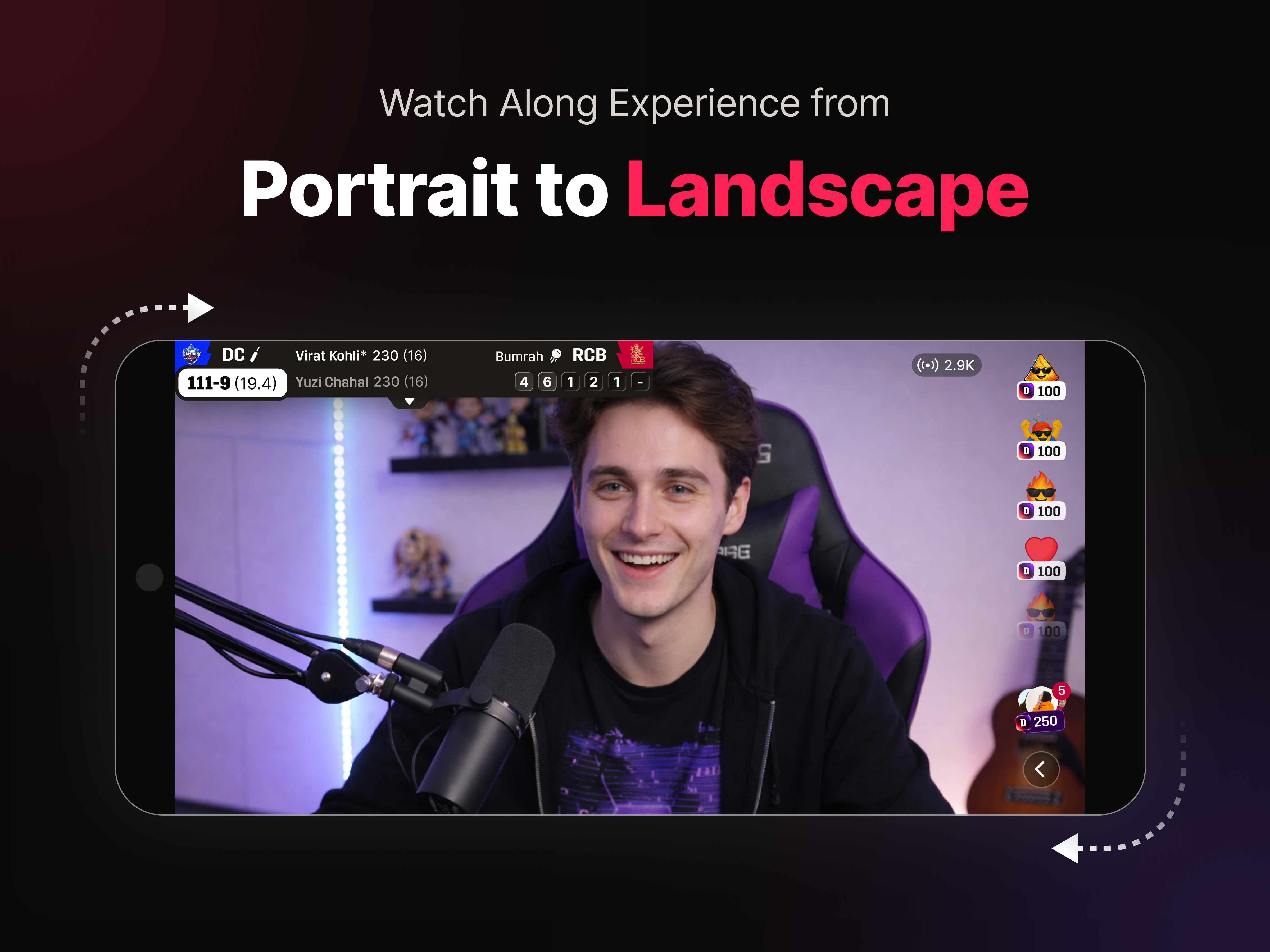
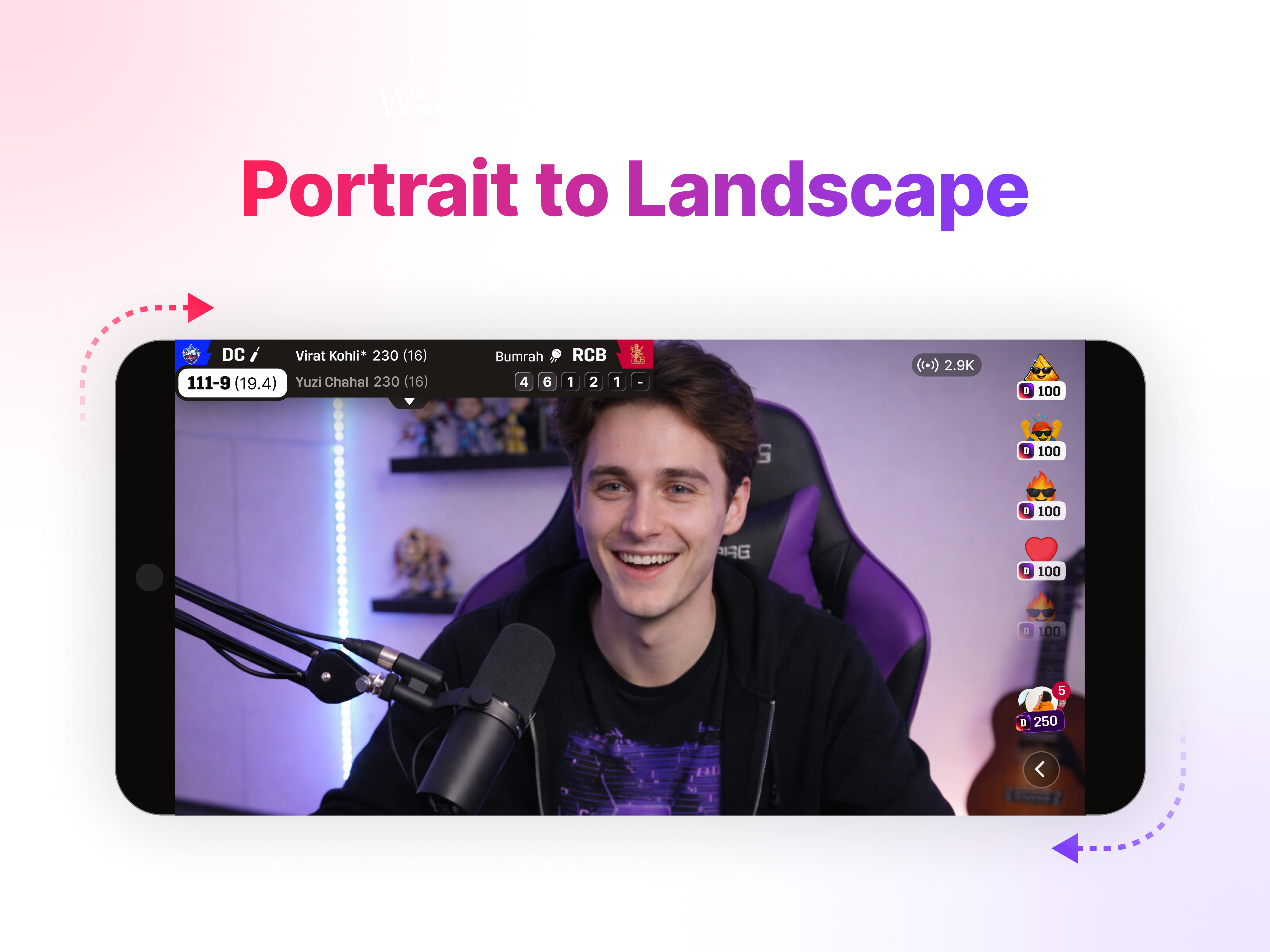
02. case study creator-first live sports dream11 · 2025

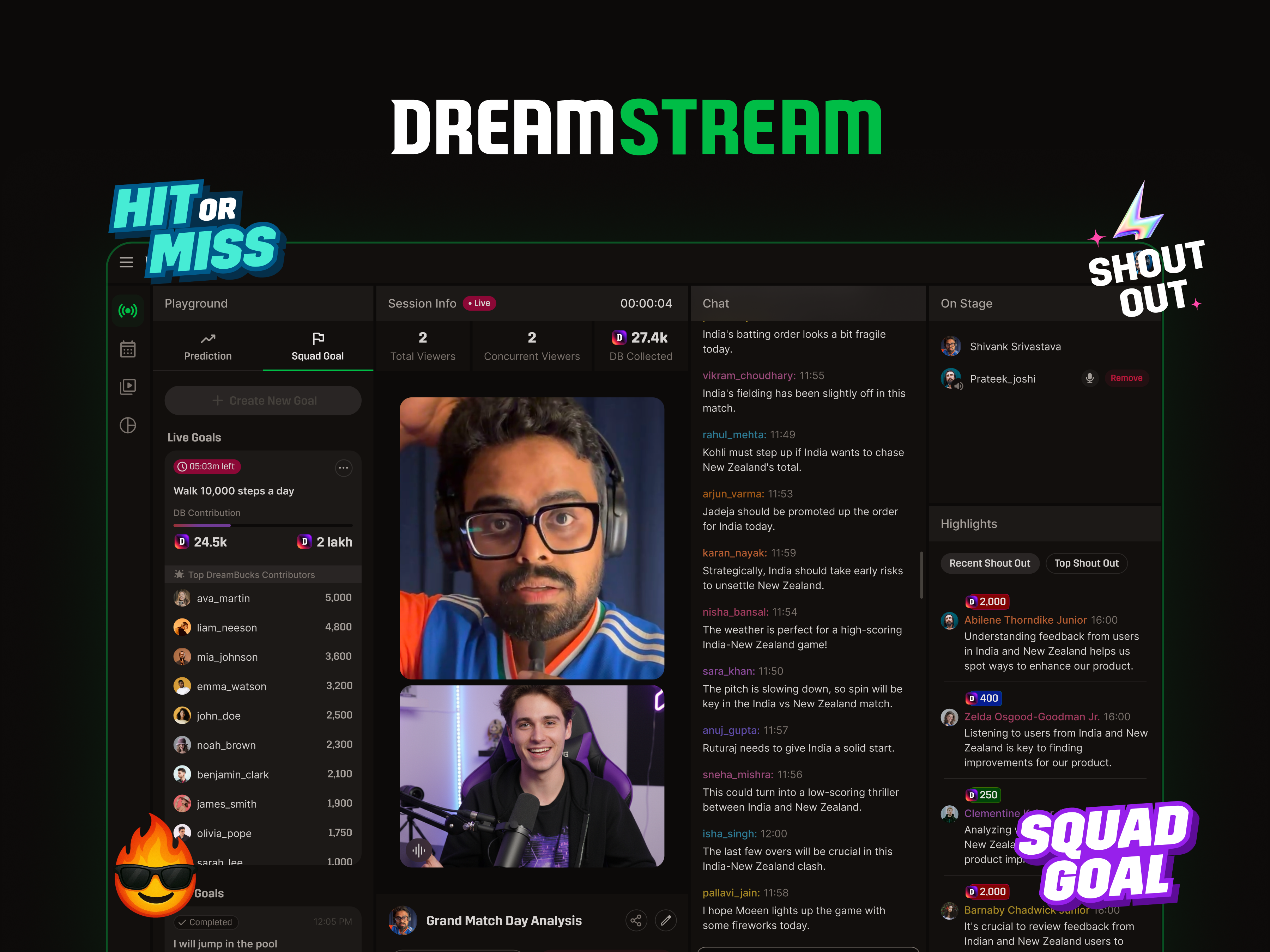
DreamStream.

Dream11's creator console for live sports — designed and shipped in 60 days. A live room where 250M users could watch sports together.

16.7M
watch minutes / 1st month
457.2K
peak total views · single stream
669
completed streams
20
verified creators
the 60-second version

A live console where Dream11's 250M users could watch sports together — designed and shipped in 60 days, holding 16.7M watch minutes in month one.

section · 01
01

Context.

What we had, what was missing, and the gap we found.

fall · 2025

Dream11 needed the live room.

Dream11 had spent twelve years making sports better — 250M registered users, 10M+ daily actives, and an audience that still treated match day like a communal event. But nothing on the platform yet owned the watch-together moment around a live match.

The brief from leadership was direct: build something where that audience could watch live sports together — inside Dream11.

What we were building on

  • 250M registered users
  • 10M+ daily actives
  • A 12-year mission — make sports better
  • An audience that hadn't stopped loving cricket
the second screen problem

Sports is communal. The digital experience for it isn't.

Watching at home, the second screen splits across five apps. Fantasy on one. Live score on another. The match somewhere else. Reactions on a fourth. The group chat on a fifth. Stadium energy gets sliced into windows that don't talk to each other.

app · 01
Dream11
Dream11
fantasy
app · 02
CricbuzzGoogle
Live Score
ball-by-ball
app · 03
JioHotstar
OTT App
the match
app · 04
YouTube
YouTube
reactions
app · 05
WhatsApp
WhatsApp
the banter
collapse into → DreamStream — one surface, the room rebuilt.
three problems, one console

The pain splits three ways.

Engagement is the wedge that connects fantasy intent to live community.

problem / 01
Viewer
Watching alone, missing the room.
problem / 02
Sports Creator
No home built for sports-first livestreams with engagement baked in.
problem / 03
Dream11
Owns the transactional moment. Not the live, communal one.
two designers · two months

One creator console.

directly mine

  1. Go Live + Schedule Stream — end to end
  2. Primary live console layout — what sits where, and why
  3. Hierarchy decision — chat & activity adjacent; On Stage pushed back
  4. Squad Goals, On Stage, Shout Out, Chat as feature surfaces
  5. Foundation layer — colors, components, grid, layout patterns

adjacent

  1. Live infra + OBS pipeline
  2. Onboarding & contracts
  3. Manual moderation in v1
  4. Scoping + roadmap
  5. One support designer on adjacent surfaces
section · 02
02

Discovery.

The strongest decisions came from outside the building.

two months total · research had to earn its place

Four inputs — picked for speed, not breadth.

Each method answered a specific question we couldn't answer ourselves.

01 / benchmark
Competitive benchmarks
Twitch · YouTube Live · Kick · OBS
Learn how creators already work before assuming what they need.
02 / interviews
Creator early-feedback
Onboarding cohort, in-office for contracts
Fastest signal we had — already in the building.
03 / expert call
Twitch design call
Charlene, Twitch · 1 hr
Don't relearn what mature livestream products already discovered.
04 / shadowing
CS team shadow
Internal moderation team — v1
Moderation was the hidden cost we needed to design around.
paraphrased, not corporate quotes

Six notes from a 1-hr call with Twitch design.

We didn't have to relearn any of this.

01Creator-First

Reduce creator friction before adding feature depth. Better creator output drives better audience retention.

02Chat As Content

Most viewers lurk, but chat still has to feel alive. Design chat as visible energy, not just conversation.

03Engagement Earns Attention

Interactive features need a clear live purpose. The best tools give creators instant talking points.

04Community Identity

Loyalty grows through earned, visible status. Scarcity and insider signals beat generic rewards.

05Growth Beyond Live

Growth comes from experimentation and collaboration. Clip-worthy moments extend reach after the stream ends.

06Quality Before Monetization

Audio quality is table stakes for long streams. Monetization should match creator maturity, not launch ambition.

playable prototype · in-office testing

Early validation with stakeholders and creators.

Right after the competitive benchmark of YouTube Live, Twitch, Kick and OBS, we built a playable prototype to put in front of stakeholders and the creators already in the office. The goal wasn't polish — it was to surface their mental model and the gaps in ours before a single screen got designed for real. The learnings from this round seeded the reframes below.

figma make · playable prototype
Who saw it Stakeholders across product, content and ops; three creators already onboarded for contracts; one moderation lead.
What it asked Could a creator go from login to live in under a minute, using their existing OBS muscle memory? Where did the flow break down for them?
creator go-live flow · 9 steps
01
Login
02
Empty landing page
03
Click on go live
04
Select match
05
Fill match info
06
Key generated
07
Paste key in OBS
08
Pipeline created
09
You are live
cuts were the harder list

What we adopted. What we cut.

adopted· 5

  • Stream-key handoff to OBS — zero retraining
  • High-frequency controls near the video
  • Movable layout — creators reorder zones
  • Colored usernames + chunked chat (alive feel)
  • OBS as the broadcast backbone

cut· 5

  • In-house broadcast tooling — retraining cost > rebuild benefit
  • Creator affinity (badges, scarcity, loyalty signals)
  • Multiple engagement layers — gifting, chants, creator shop
  • Objective badge goals
  • In-house overlay system
where the build pivoted

Three reframes that changed the build.

01
assumed
Creators stay because of chat.
learned
They stay because the tool helps them make better content.
reframe
Chat became creator content — not a centerpiece.
02
assumed
Monetization drives creator adoption.
learned
Smaller creators care about loyalty first; bigger ones monetize off-platform.
reframe
Hold tipping. Lead with recognition surfaces.
03
assumed
Sports viewers want a fully-featured streaming product.
learned
They want shared energy. Most are lurkers. The room must feel alive.
reframe
Design for visible motion — not feature density.
section · 03
03

Decisions.

Four constraints. Three bets. One console.

accepted on purpose

Four constraints we accepted on purpose.

Saying yes to these was as important as the bets we made on top of them.

01 / tech
Live infra timeline
Engineering bandwidth into the live pipeline first; design ships around it.
02 / dependency
OBS, non-negotiable
Designed around OBS, not against it. Every working creator already uses it.
03 / ops
Manual moderation v1
Dream11's CS team handled live load until automation was ready.
04 / design
No design system time
Foundations instead. Right call for v1, known debt for v2.
what we wagered the launch on

Three bets, made in the first week.

bet · 01 / build vs lean on

Lean on OBS. Don't rebuild what every working creator already uses.

why

Every working sports creator already uses OBS. Picking it as the broadcast backbone bought us a familiar setup flow on day one, engineering focus on the live pipeline rather than broadcast tools, and multi-platform flexibility for free.

tradeoff

OBS as a hard dependency. Creators who don't use it have a learning curve — but that population was small enough that the trade was barely a trade.

evidence

Benchmarks across Twitch, YouTube Live, and Kick all funneled through OBS. Charlene confirmed it on the design call.

diagram / bet-01
chosen
OBS · broadcast backbone
familiar · multi-platform
cut
In-house broadcast tooling
retraining cost
↳ engineering focus → live pipeline
bet · 02 / order of features

Engagement first. Monetization later. Loyalty has to compound before currency means anything.

why

Smaller creators told us the same thing across interviews: loyalty matters before payout. Without habit, currency has nothing to buy. So v1 led with Squad Goals, On Stage, Shout Out and Predictions — recognition surfaces — and held tipping until creators had repeat audiences.

tradeoff

No native monetization at launch. Creators who wanted tipping had to wait. Some pushed back. We held.

evidence

"Once you introduce a currency you can't take it away." — Charlene, Twitch design

diagram / bet-02
v1
Engagement
Squad Goals · On Stage · Shout Out · Predictions
v1.5
Loyalty
Custom emotes · inner circle
v2
Monetization
Gifting · Subscription · Store
bet · 03 / console hierarchy

Chat and activity sit next to the stream. Everything else gets pushed back.

why

The things a creator scans every few seconds — chat, activity, moderation — earn proximity by scan-frequency. The things important but not glanceable — On Stage queue, highlights, settings — get pushed back. We came to it by watching benchmark sessions and counting scans.

tradeoff

On Stage and highlights are visually quieter than they could be. Some PMs wanted them more prominent. The frequency data didn't support it.

evidence

Twitch's layout logic confirmed it. Our own creator walkthroughs confirmed it again.

diagram / bet-03
playground
stream
chat
on stage · highlights
adjacent · high scan pushed back · low scan
↳ proximity earned by scan-frequency
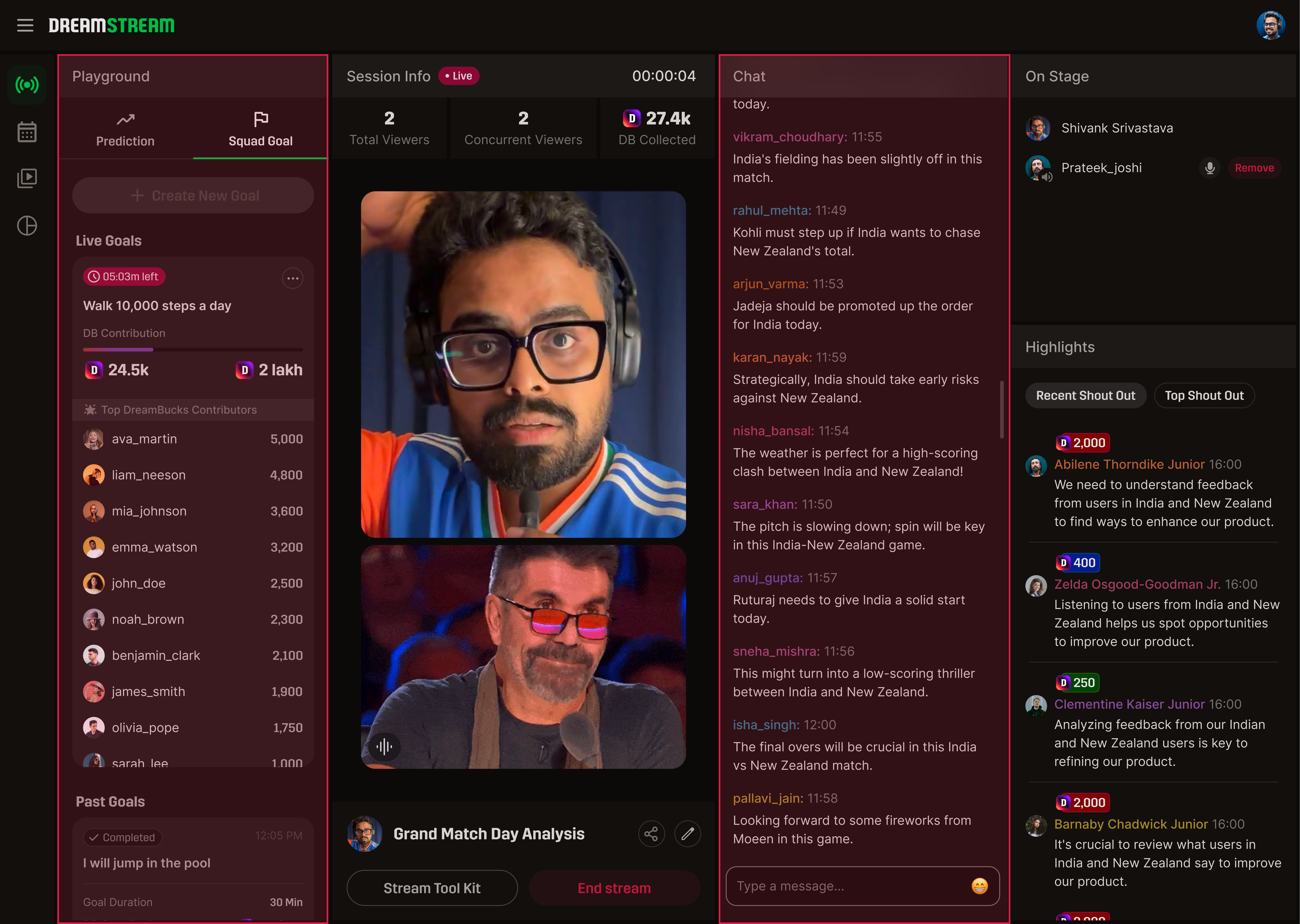
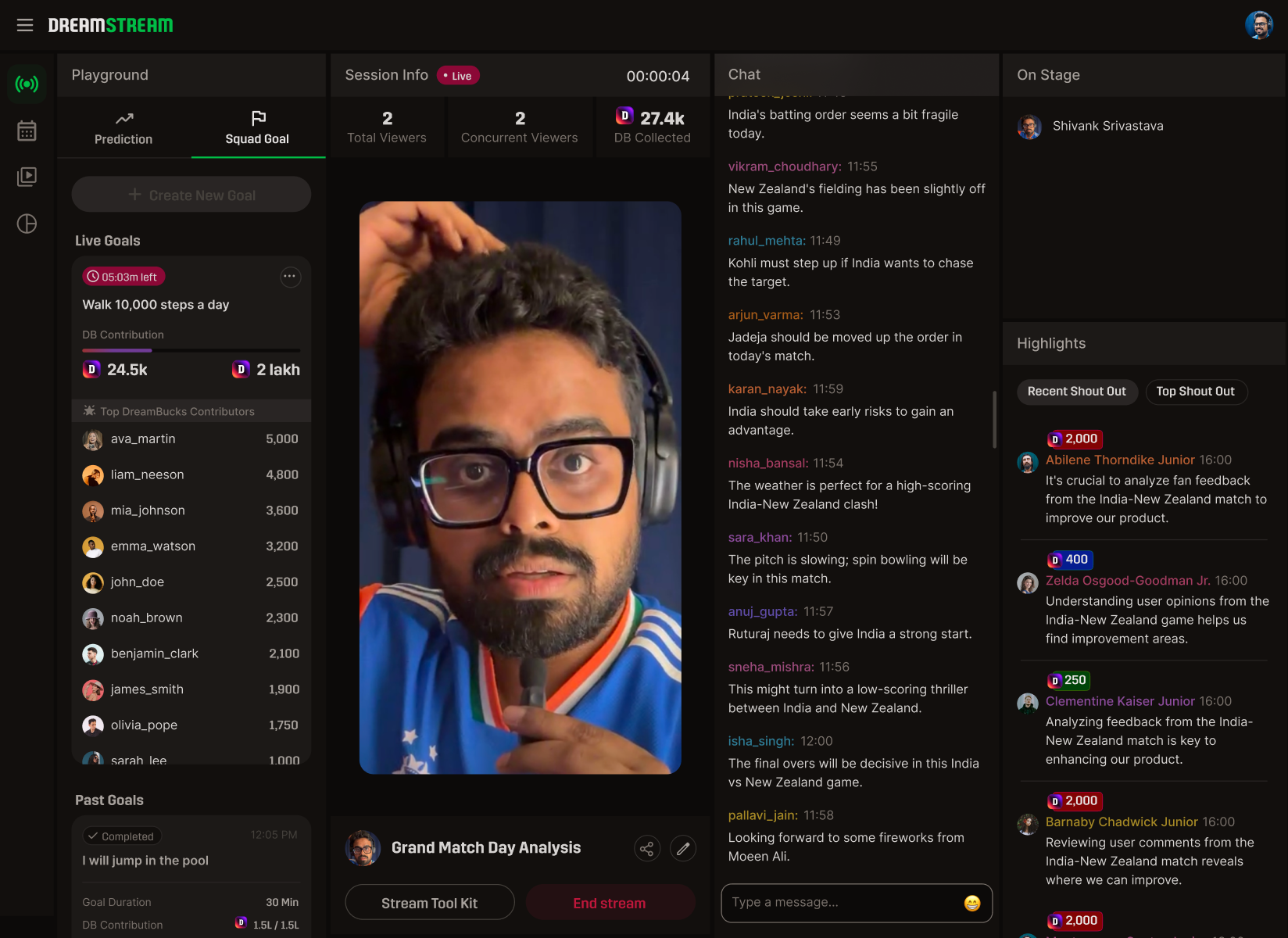
DreamStream live console with Playground and Chat columns highlighted in red — showing the high-scan zones flanking the stream
Live console — the two red columns are the high-scan zones (Playground left, Chat right). They flank the stream. On Stage and Highlights sit pushed back on the far right.
the loop is the system

The console runs on a four-beat loop.

Tune in → Engage → Reward → Return. The room only feels alive if all four are visible at the same time.

01
Tune in
Stream goes live; fan opens; activity is already moving.
02
Engage
Chat, Squad Goals, On Stage. The viewer participates with low cost.
03
Reward
Shout Outs surface, Squad Goal milestones hit, creator reacts in real time.
04
Return
Highlights persist. Schedule for next match. Loop restarts.
↻ every feature asks: which beat does this serve?
section · 04
04

Solution.

Four flows. One console. Two sides.

app-open to broadcasting before the toss

Four steps. Two minutes. Live.

Picked apart, every step shaves seconds. Together, they let a creator go from app-open to broadcasting before the toss.

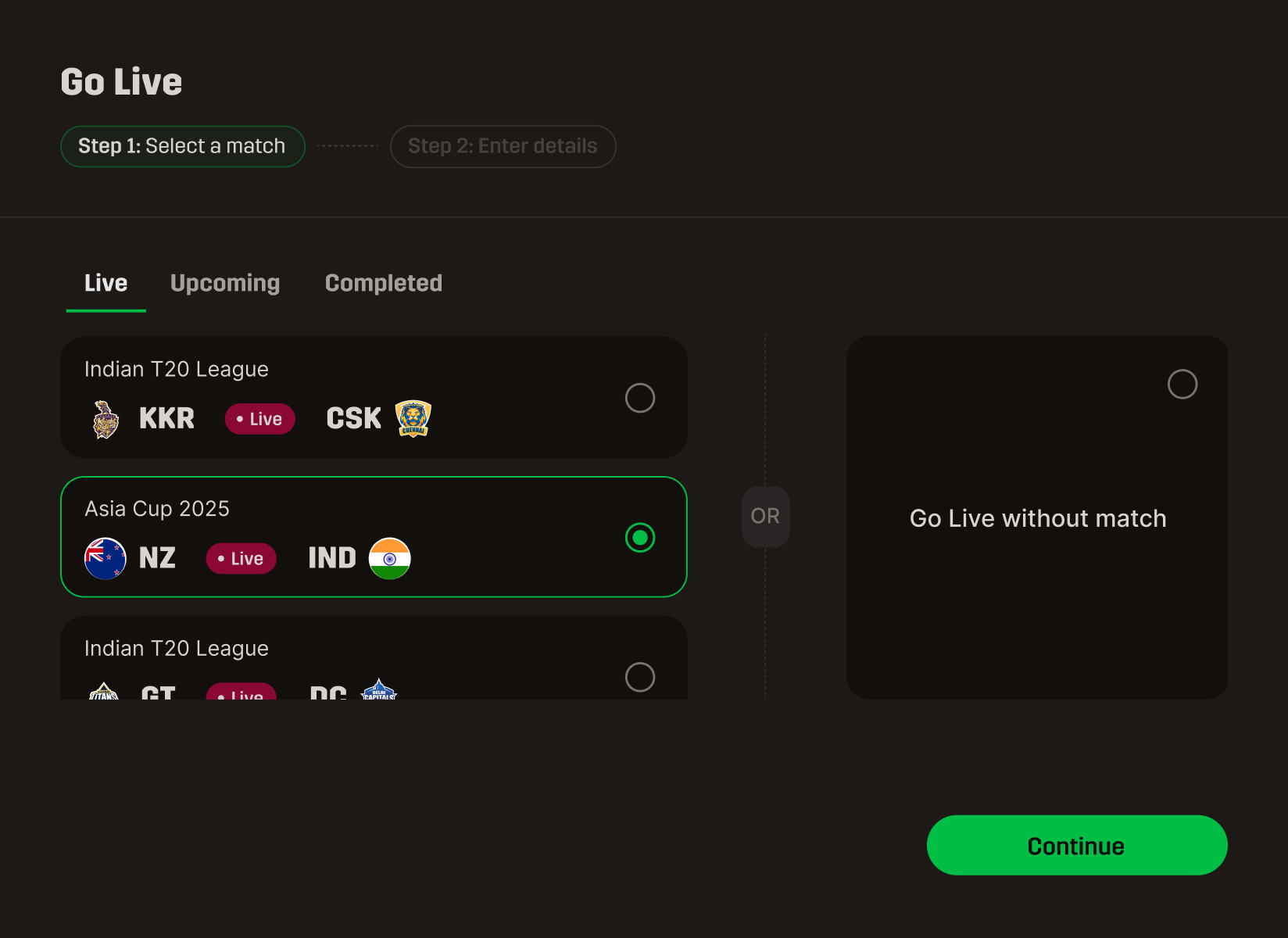
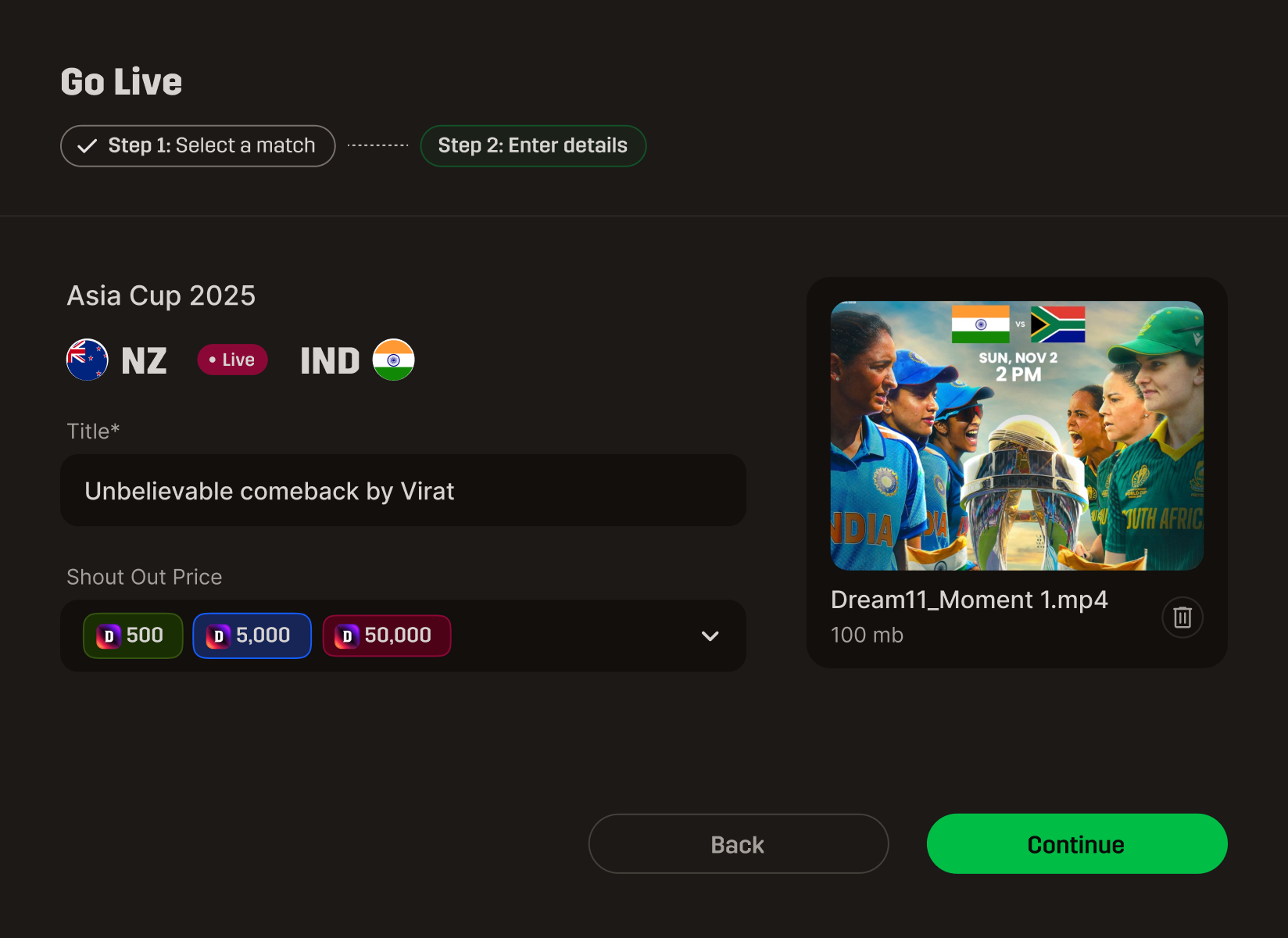
Match select screen
step / 01
Match select
Pick the live match. Context inherits downstream.
Stream details screen
step / 02
Stream details
Title, thumbnail, schedule. Lightweight on purpose.
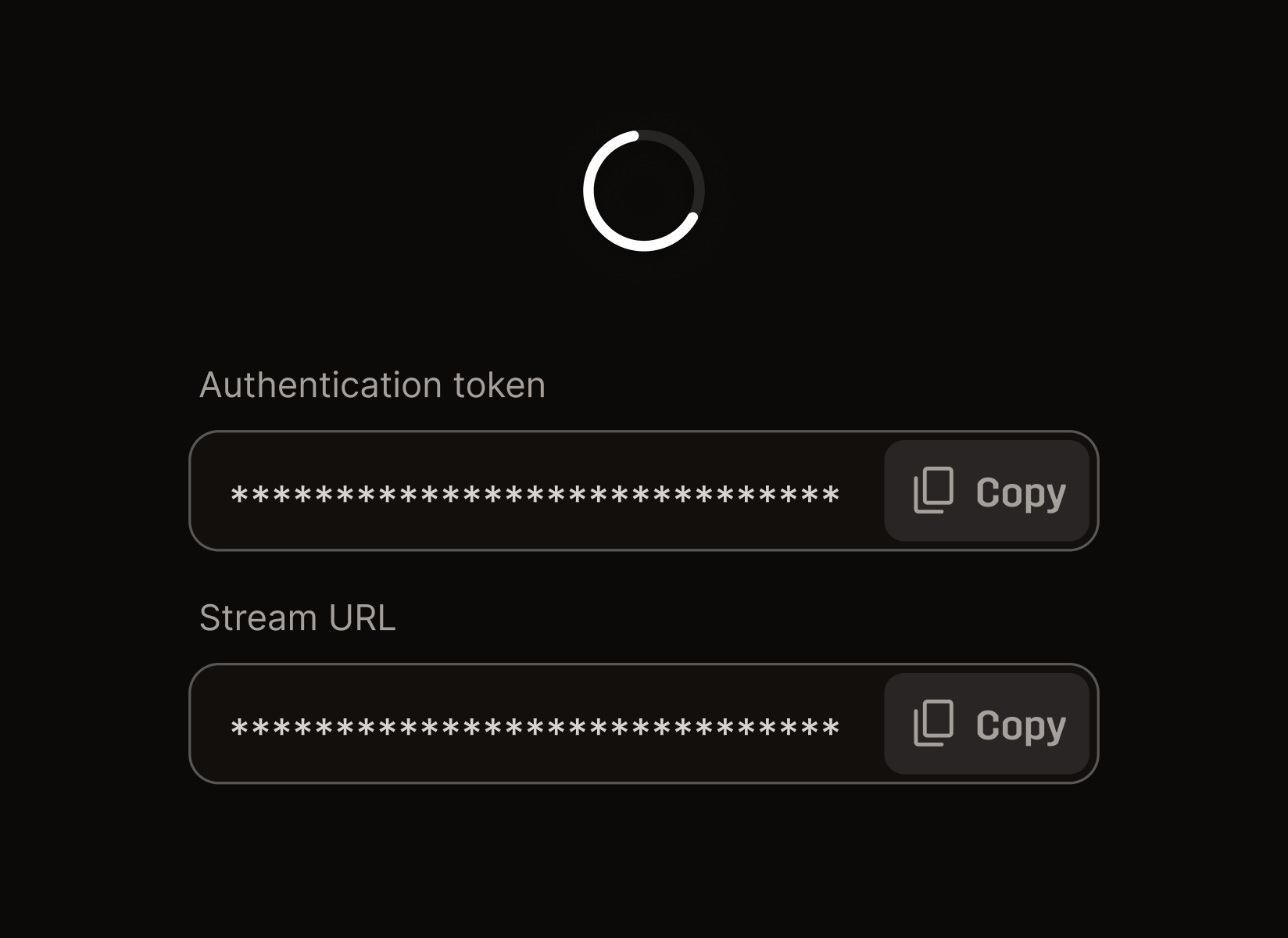
Stream key screen
step / 03
Stream key
Generate, copy, paste into OBS. You're live.
Console screen
step / 04
Console
Audience finds you. The room comes online.
calm to scan · loud enough to feel live

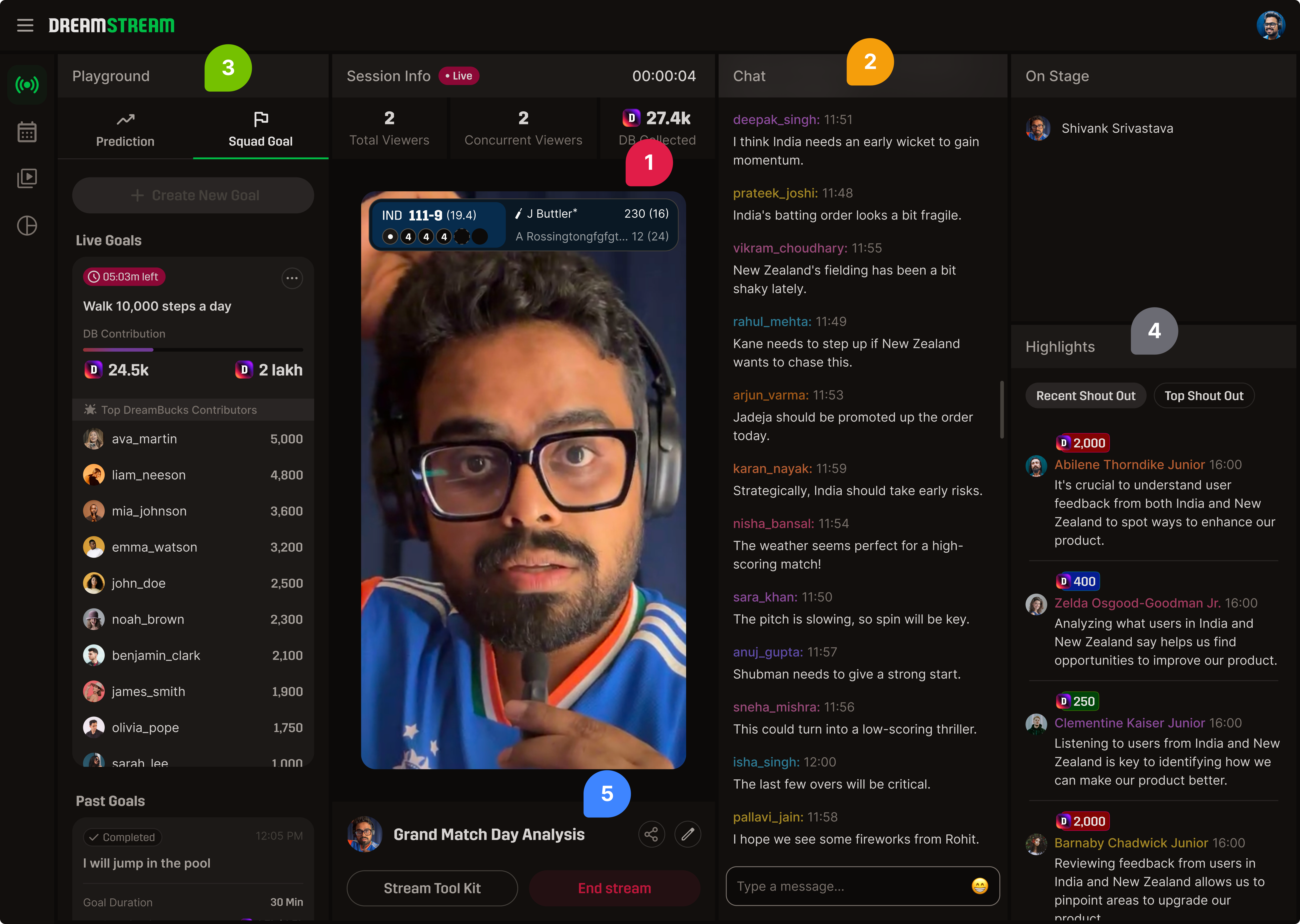
The console laid out by scan-frequency.

Five zones. Each one earns its position by how often a creator's eye lands on it during a live match.

DreamStream live console annotated with 5 colored pointers showing the scan-frequency zones
  1. Stream — center, always
    Eye returns here every 5 seconds. Geometry never changes between matches.
  2. Chat — center-right, full height
    Highest-scan panel after the stream. At the right edge of stream so eyes travel one direction during a wicket.
  3. Activity — left of stream
    Squad Goals, On Stage triggers, polls. Low-frequency but high-importance — needs a permanent home.
  4. Highlights — side rail, right
    Shout Outs persist here because chat moves too fast. Designed to scale for future highlights.
  5. Session controls — bottom rail
    Match info, end stream, stream tool kit. Reachable but never in the eye-line.
three surfaces, one job

Close the recognition loop.

Each feature serves a different beat of the loop. None are visual decoration.

loop position · engage
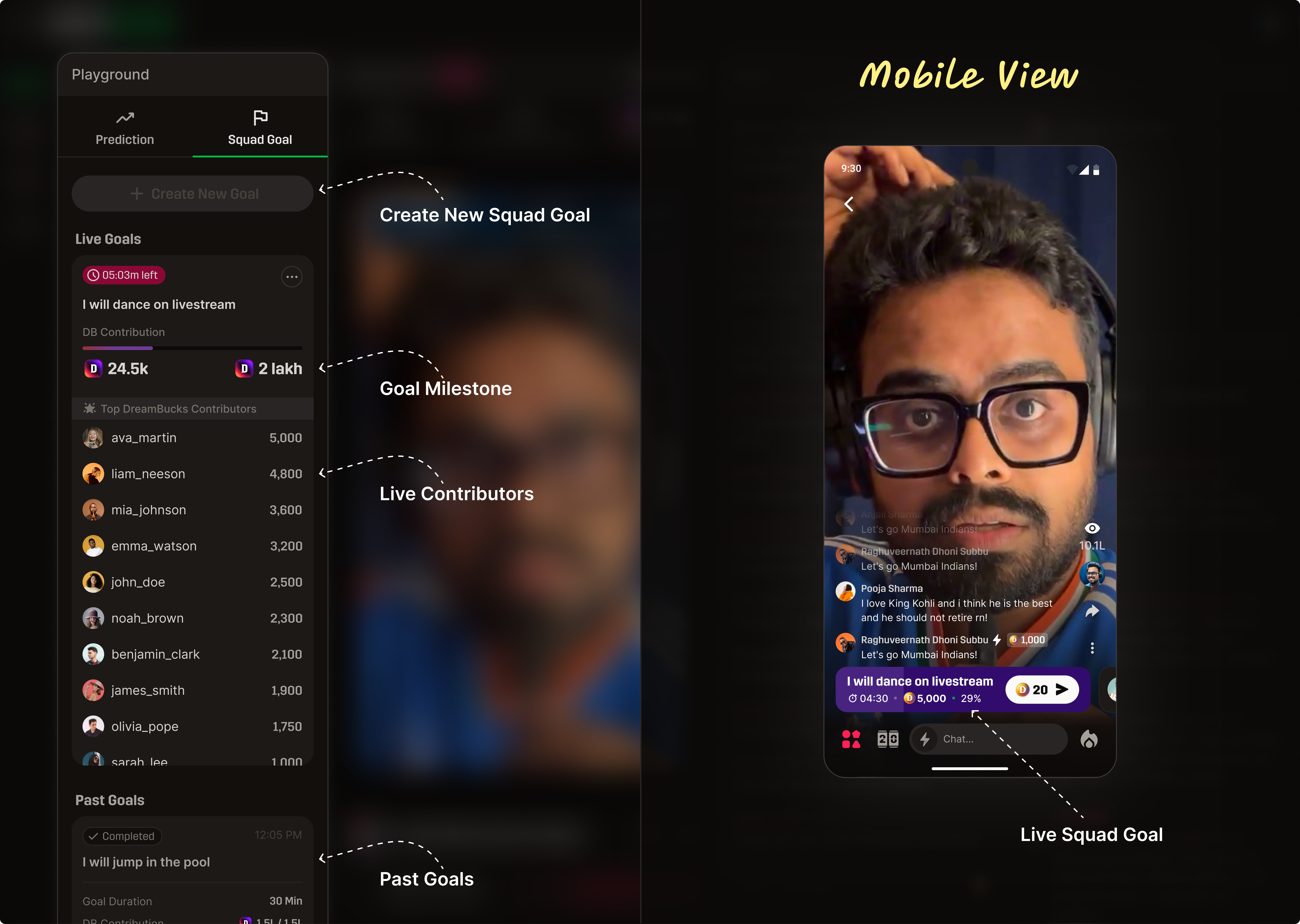
Squad Goals
A creator-set, live audience target that turns passive viewing into visible participation. The room can see progress in real time, so engagement has a shared objective.
Squad Goal feature visual with creator panel and mobile view
why it exists in the loop

This is the engage beat: it gives viewers a low-friction action and immediate shared context. Instead of “watch only,” the room now has a common objective to push toward.

loop position · engage + return
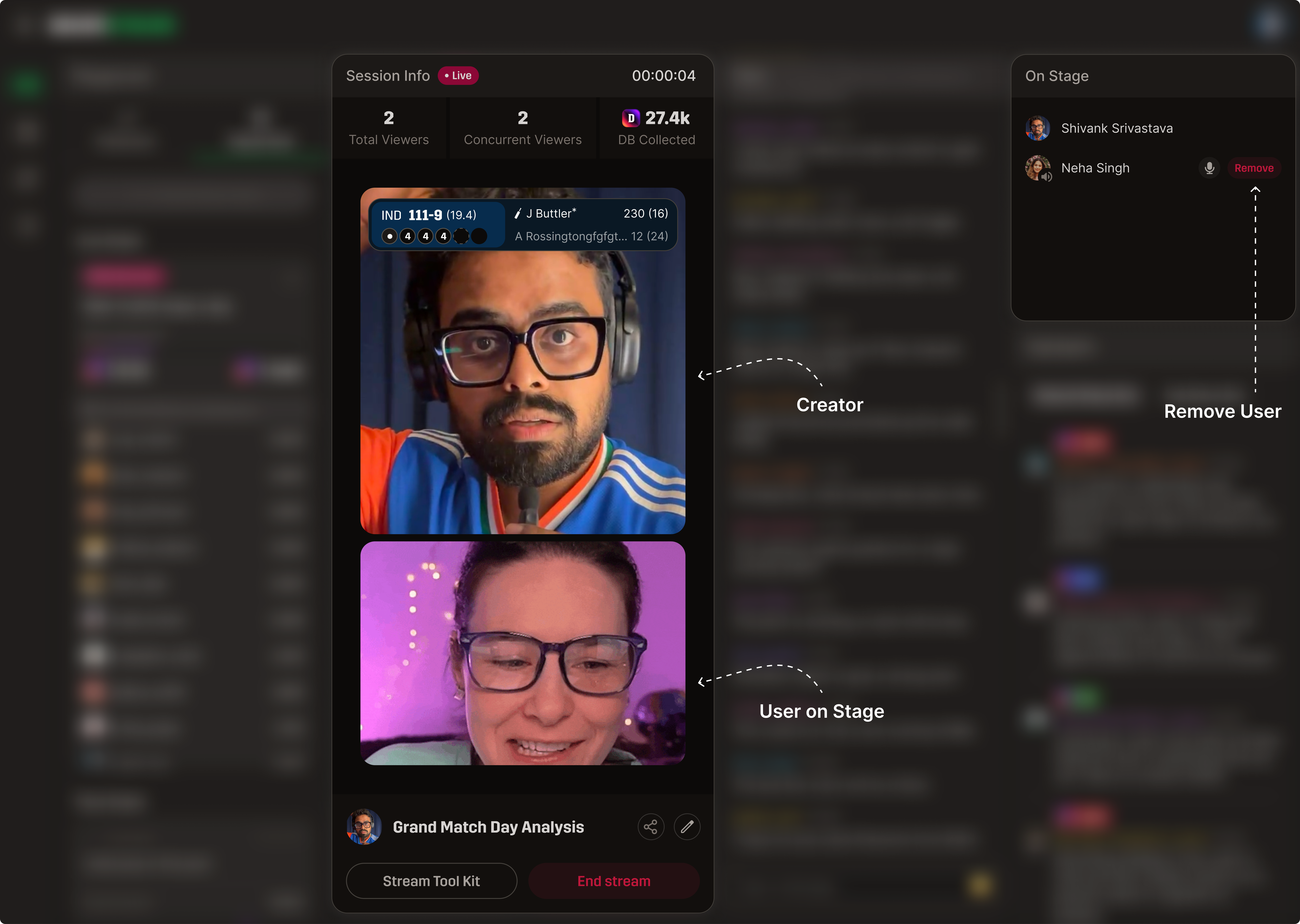
On Stage
A controlled way to bring a fan into the live broadcast. Recognition becomes content for the whole audience, and selected users return because they can be seen, not just counted.
On Stage feature visual
why it exists in the loop

This spans engage + return: engagement rises during the moment, then return behavior improves because viewers now have a credible chance to be recognized on stream in future sessions.

loop position · reward
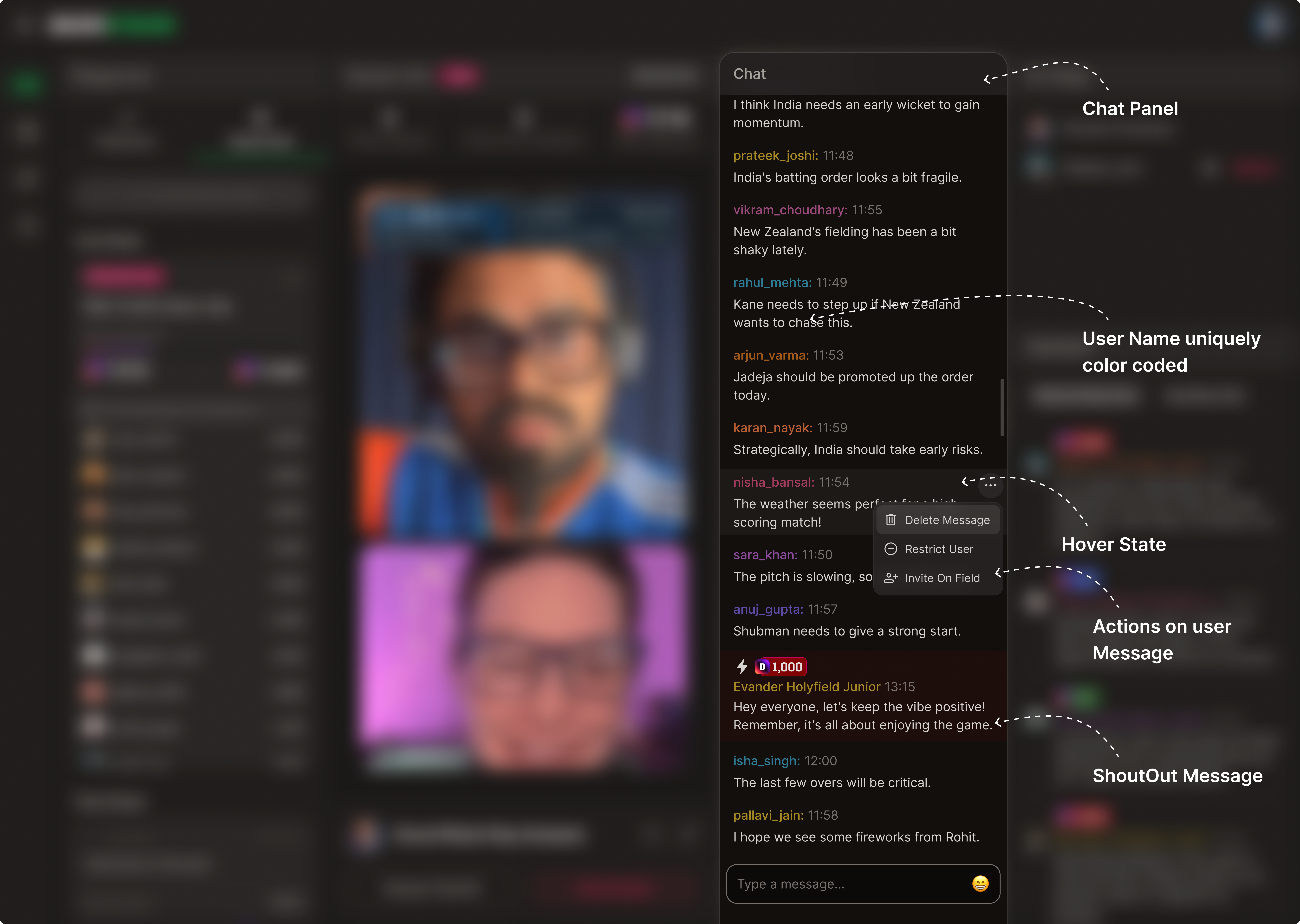
Chat & Shout Out
Real-time recognition inside the stream context. Messages and shout-outs close the loop instantly, reinforcing the behavior while intent is still hot.
Chat and shout out feature visual
why it exists in the loop

This is the reward beat: recognition is delivered in the same live session where effort happened, so the loop closes immediately instead of relying on delayed post-match rewards.

the room from the audience seat

The same room, from the audience seat.

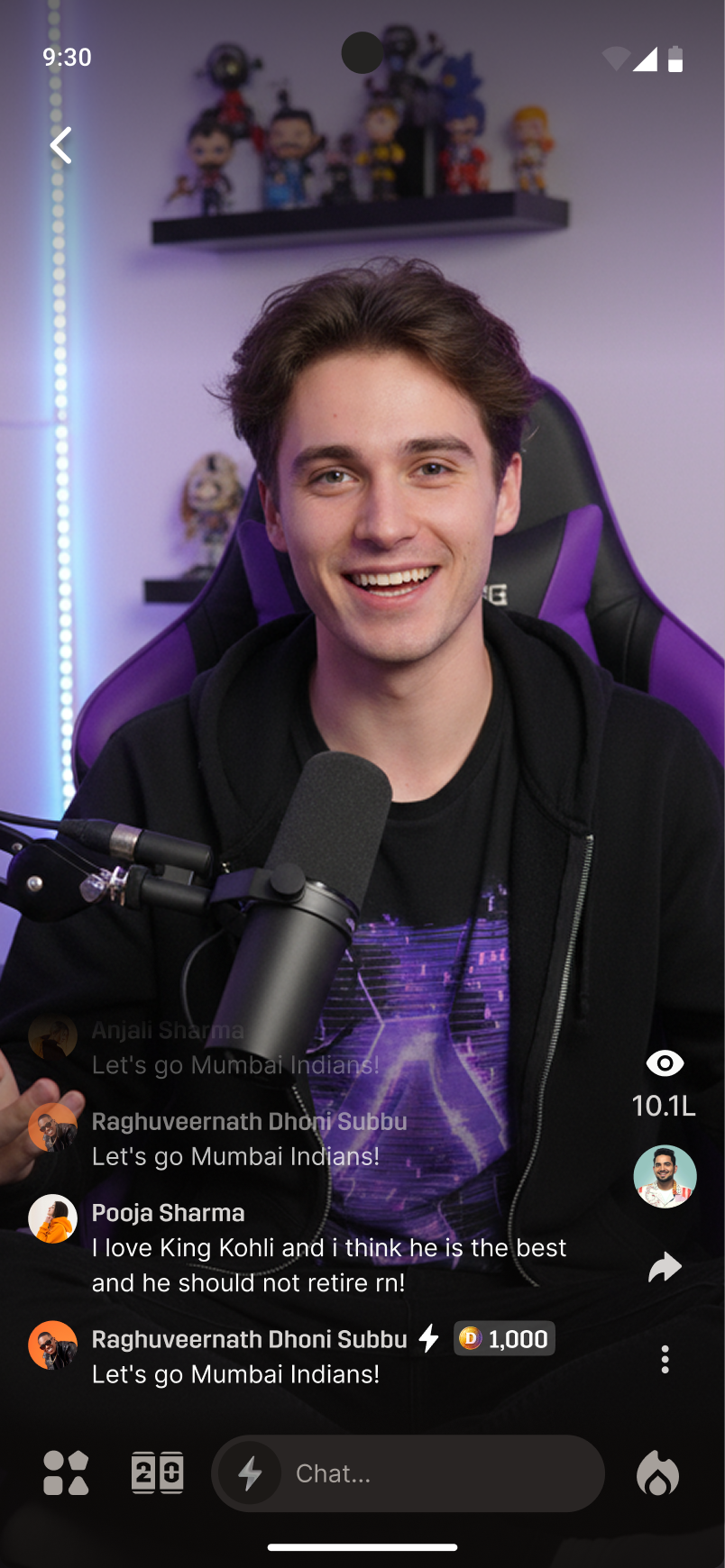
The console is the creator's cockpit. The viewer experience is the room they walked into — same energy, simplified surface, mobile-first.

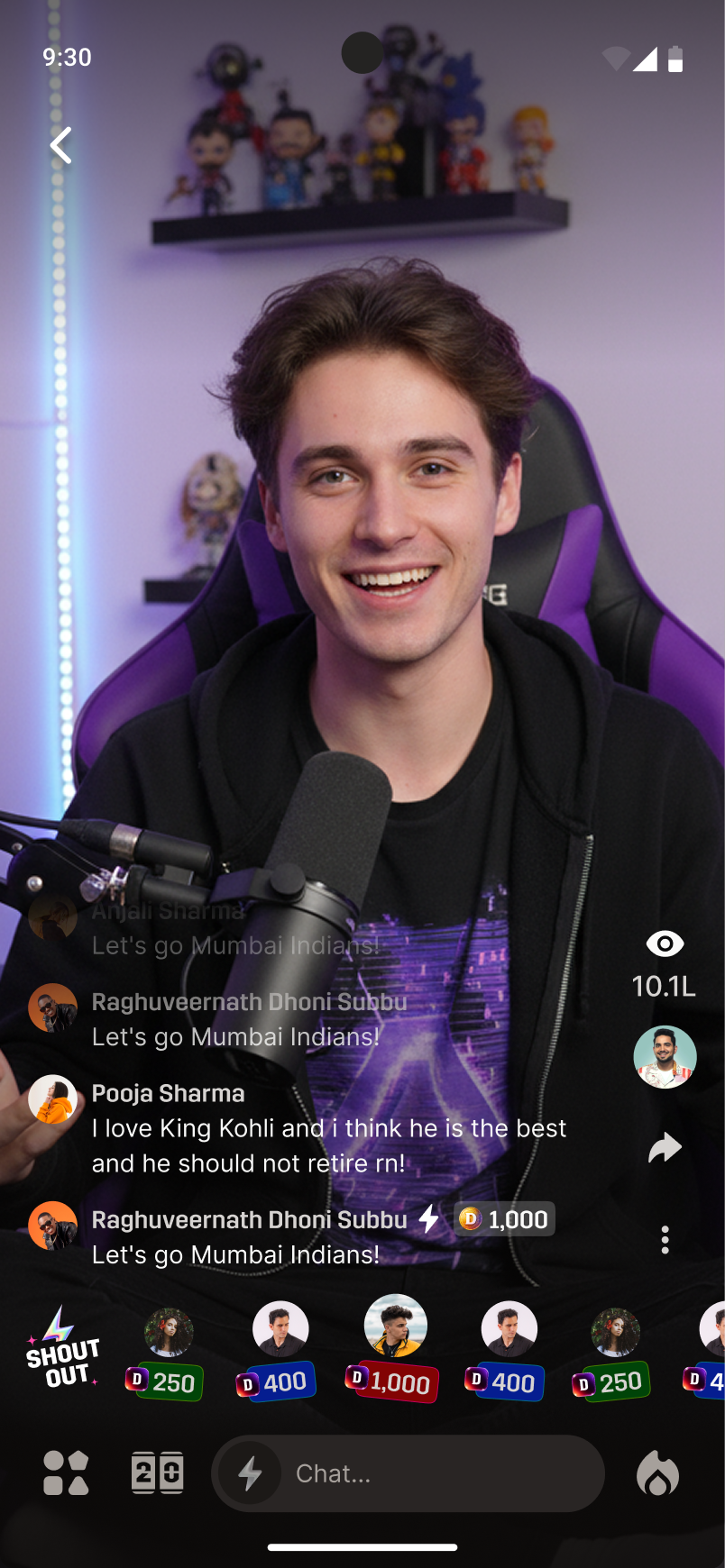
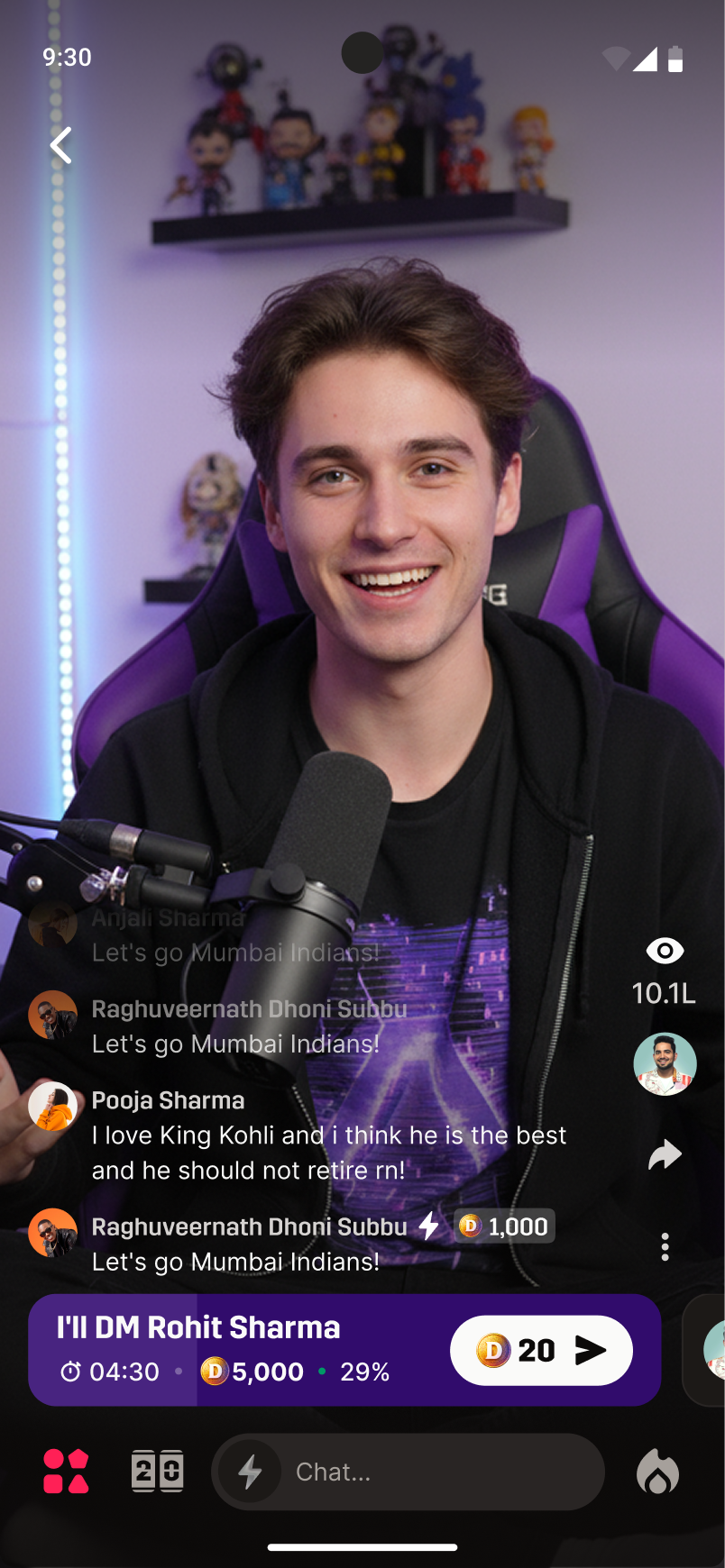
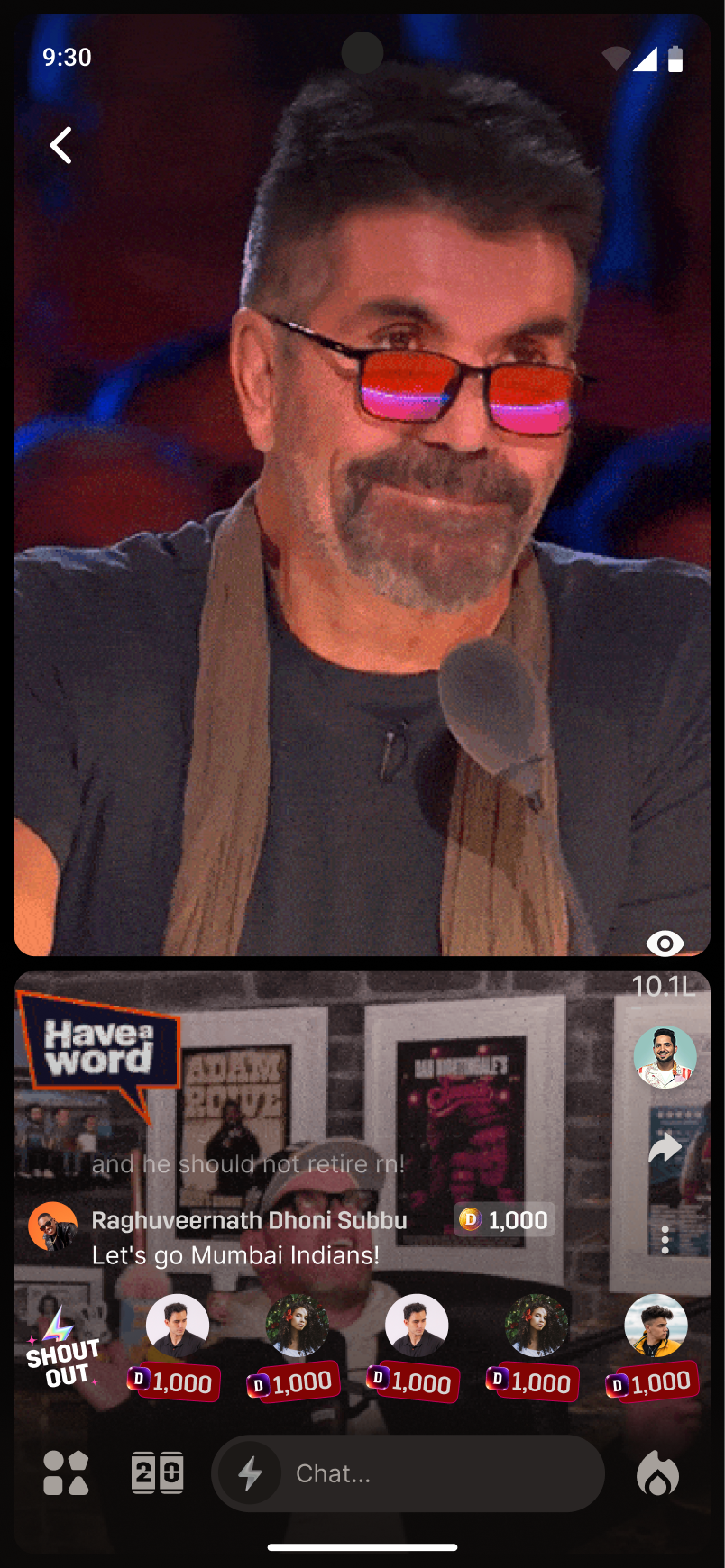
Viewer mobile — state 1
default
Viewer mobile — state 2
shout-out rail
Viewer mobile — state 3
squad goal
Viewer mobile — state 4
user on stage
section · 05
05

Outcome.

What shipped. What it did. What the room felt like.

launch · month one

The bet held: engagement led the MVP.

Numbers from month one, mapped back to the three problems we set out to solve.

01 · viewer
"Watching alone, missing the room."
16.7M
watch minutes · month 1
Viewers stuck around. Average session was multiples of what passive streams pulled pre-launch.
02 · sports creator
"No home for sports-first livestreams."
457.2K
peak total views · single stream
Setup-confusion tickets sat near zero. Creators kept coming back.
03 · dream11
"Owns the transaction, not the room."
669
completed streams · 20 verified creators
250M users had a new reason to open the app — and stay through the match.
  • First creator-led live sports console to ship at scale on Dream11.
  • Manual moderation load high but manageable — CS-team partnership held.
  • v1.5 (Loyalty) roadmap approved 4 weeks after launch.
two notes from the other side of launch

What I'd do differently. What I'm proudest of.

what I'd change

Push for tokens before features.

Foundations worked for v1, but every adjacent surface that came after had to refer back to them as if they were the system — which slowed us by v1.5. Next time I'd carve a week up front for proper tokens and a real component spec.

tradeoff between speed and scale
what I'm proudest of

The hierarchy held under live load.

Putting chat and activity adjacent to the stream block — and pushing On Stage and highlights back — was earned by observation, not asserted by taste. The smallest decision and the biggest one. The launch metrics rest on it.

scan-frequency over feature prominence